




44M+ downloads

The PDF editor that runs on your servers.

Edit, sign and automate in private.

  • Open core
  • Self-hosted
  • Runs air-gapped

Agreement no. MSA-2026-0418

Master Services Agreement

Customer
Address
Account
Annual fees
Scan

Scanned pages become text you can select, search and copy.

Try it: click a field or a tool
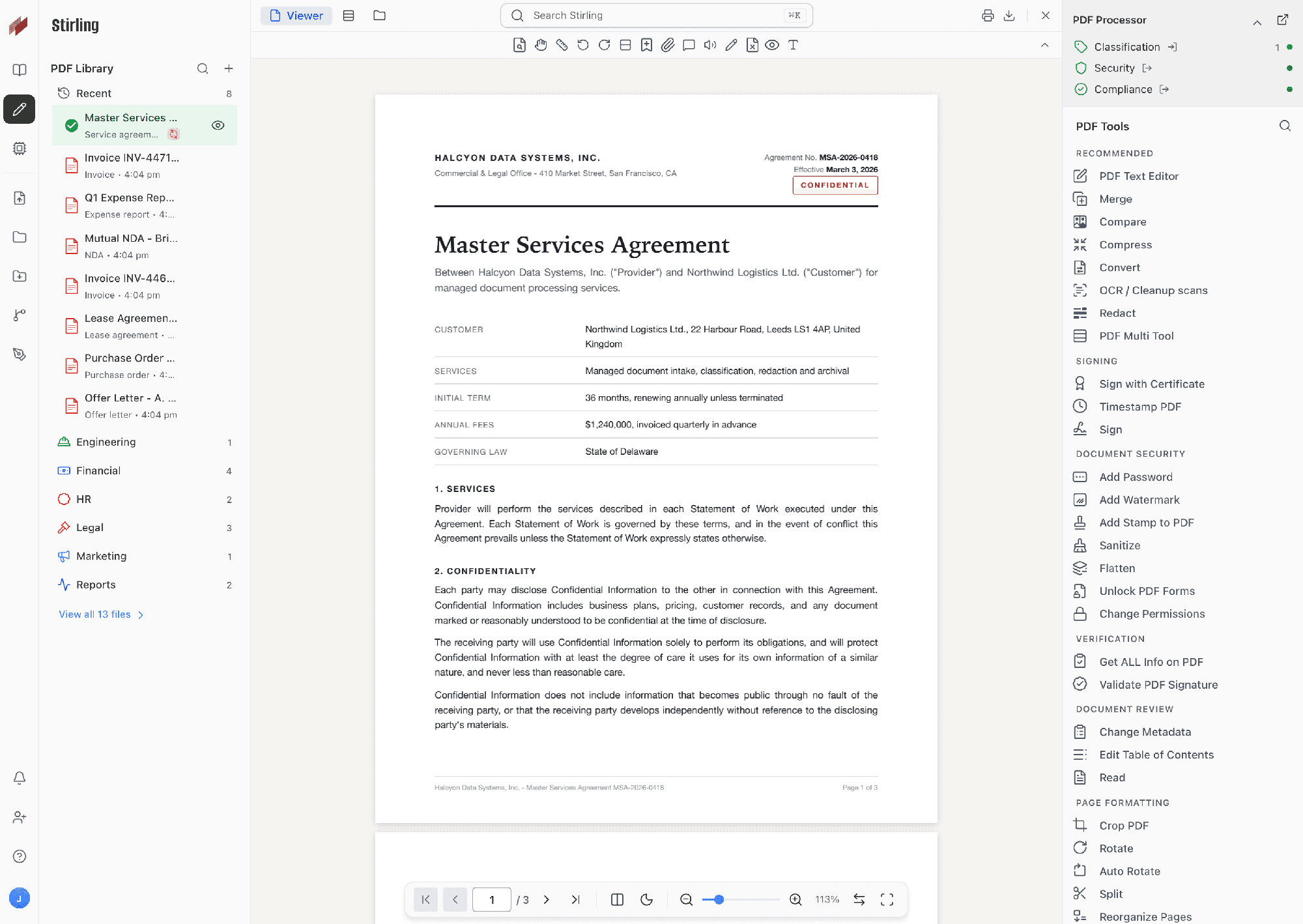
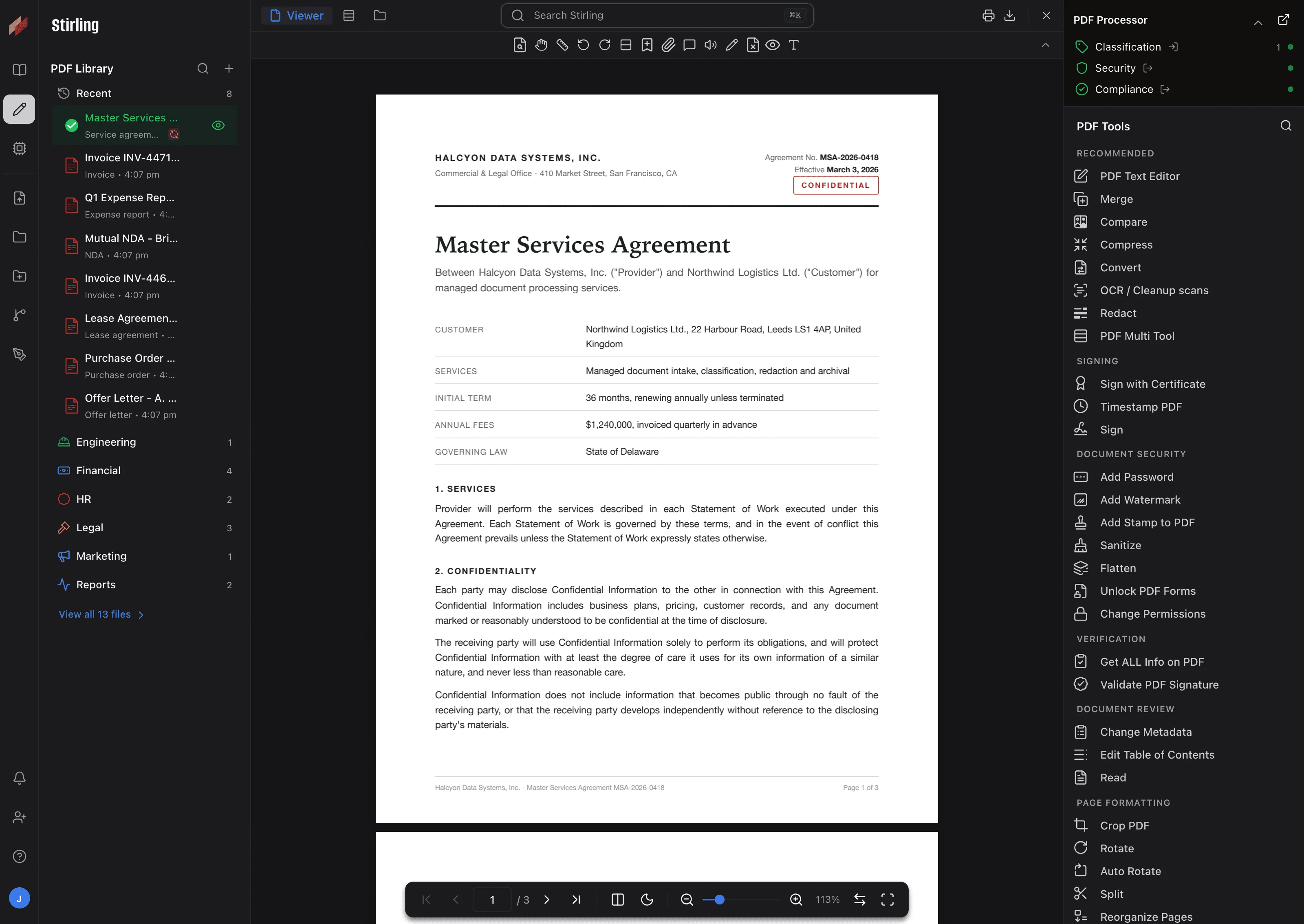
The Stirling PDF editor with a contract open and the tools panel on the right
Fig. 1 — The Stirling editor
  • Amazon logo
  • Walgreens logo
  • ADP logo
  • Delta logo
  • Charles Schwab logo
  • Boeing logo
Capabilities

One place for every PDF job. Edit, sign and automate, with AI when you want it.

Reader
agreement.pdfSearchrenewal1 of 32 of 3ANNOTATIONS012No annotations yetHighlightwritten notice to the address…P. 1CommentP. 1Confirm the 60-day windowMaster Services AgreementAGREEMENT NO. MSA-2026-04181. TermThis agreement starts on 1 March 2026 and runs for oneyear. Each renewal adds a further twelve months.2. NoticeEither party may stop the next renewal with 60 days'written notice to the address in Schedule A.3. FeesFees are invoiced quarterly. Fees for each renewalperiod follow the rate card in Schedule B.PAGE 1 OF 3agreement.pdfSearchrenewal1 of 32 of 3Master Services AgreementAGREEMENT NO. MSA-2026-04181. TermThis agreement starts on 1 March 2026 and runs for oneyear. Each renewal adds a further twelve months.2. NoticeEither party may stop the next renewal with 60 days'written notice to the address in Schedule A.3. FeesFees are invoiced quarterly. Fees for each renewalperiod follow the rate card in Schedule B.PAGE 1 OF 3CommentP. 1Confirm the 60-day window
Editor
agreement.pdfAgreementNameAddressAccountSCANScanned pages becometext you can select,search and copy.Scanned pages becometext you can select,search and copy.agreement.pdfAgreementNameAddressAccountSCANScanned pages becometext you can select,search and copy.Scanned pages becometext you can select,search and copy.
Signing
agreement.pdfSIGNATUREA. SignerSign hereSigned with certificateA. SignerTimestampedRFC 3161ValidSignature intact, certificate trustedagreement.pdfSIGNATUREA. SignerSign hereSigned with certificateA. SignerTimestampedRFC 3161ValidSignature intact, certificate trusted
Pipeline
IF CLASSIFIEDIF CLASSIFIEDELSEELSESourcenew documentOCR andclassifyevery documentrunningInvoiceContractForm?Routeto its folderInvoiceContractForm?Hold forreviewwith the reasonInvoiceContractForm?Logged3 runsIF CLASSIFIEDIF CLASSIFIEDELSEELSESourcenew documentOCR andclassifyevery documentrunningInvoiceContractForm?Routeto its folderInvoiceContractForm?Hold for reviewwith the reasonInvoiceContractForm?Logged3 runs
Use cases

Who it’s for, and what they get

Work on sensitive files with no internet connection.

Stirling runs air-gapped on your own machines, so nothing leaves the network.

Explore Defense

An empty open-plan office with tall windows
Redact names and locations in this report...

how it works

Stirling edits your PDFs, automates the repeat work, and runs where you choose

  1. Start in the editor

    Open a PDF in the browser or the desktop app and do the job by hand.

  2. Automate what repeats

    Turn the same steps into a pipeline that runs on every new document.

  3. Run it your way

    Stay on Stirling Cloud, or move to your own servers when you need to.

Customer stories

The PDF editor engineers and IT teams recommend

Read all studies
VMware logo
Vikash Jhagroe
“This is the one PDF Editor to rule them all! My quest for the perfect PDF editor finally paid off. Meet Stirling PDF, the only PDF editor you will ever need.”

Vikash JhagroeSr Technical Adoption Manager, VMware

Aramark logo
3D AI Studio logo
Grows with you

Start with one PDF. Add your team and your pipelines when you’re ready.

downloads
44M+
of the Fortune 500 use it, per Scarf
75%
Security

Your documents stay on your servers

Self-host it, run it air-gapped, and sign in through your own identity provider.

Read about security
Outside your network

Nothing to read

  • 01

    Runs air-gapped

  • 02

    Sign in with your own SSO

  • 03

    Runs on your own servers

MCP & API

Works inside the AI tools your team already uses

Try it

https://api.stirling.com/mcp
Changelog

Always improving

View all
  1. Stirling Office Convert and desktop reload fix

    Stirling Office Convert replaces LibreOffice, and desktop documents no longer reload.

  2. Text editor in viewer, OneDrive, SCIM and accessibility checker

    The Text Editor moves into the viewer, with OneDrive, SCIM and a PDF accessibility checker.

  3. Office Convert upgrades and bug fixes

    Office Convert reaches more tools, plus many fixes and speedups.

  4. New annotations and other improvements

    New annotation shapes and a QR code stamp.

Have questions?
Find answers.

Stirling edits, converts, signs and redacts PDFs, and its pipelines run the same steps on every document that arrives. Use it in the browser, on the desktop, or on your own servers.

Ready to edit your first PDF?

Free for individuals. Use it in your browser, install it on Windows, macOS or Linux, or self-host it with Docker.